Onboarding Guide
Sentinel Portal + Admin Console
New Customer
"sentinel.io > Create your Sentinel account"
Create your account
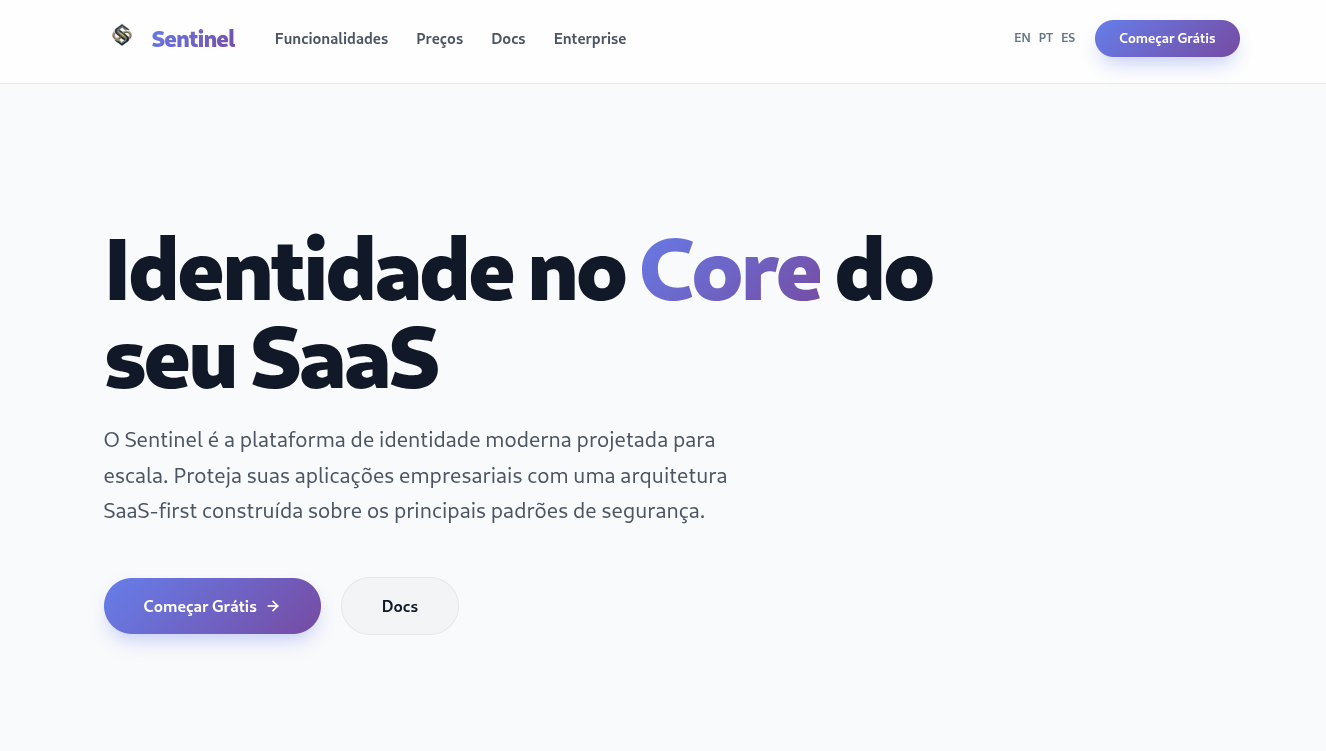
Step 1: Go to the website and click 'Get Started Free'.
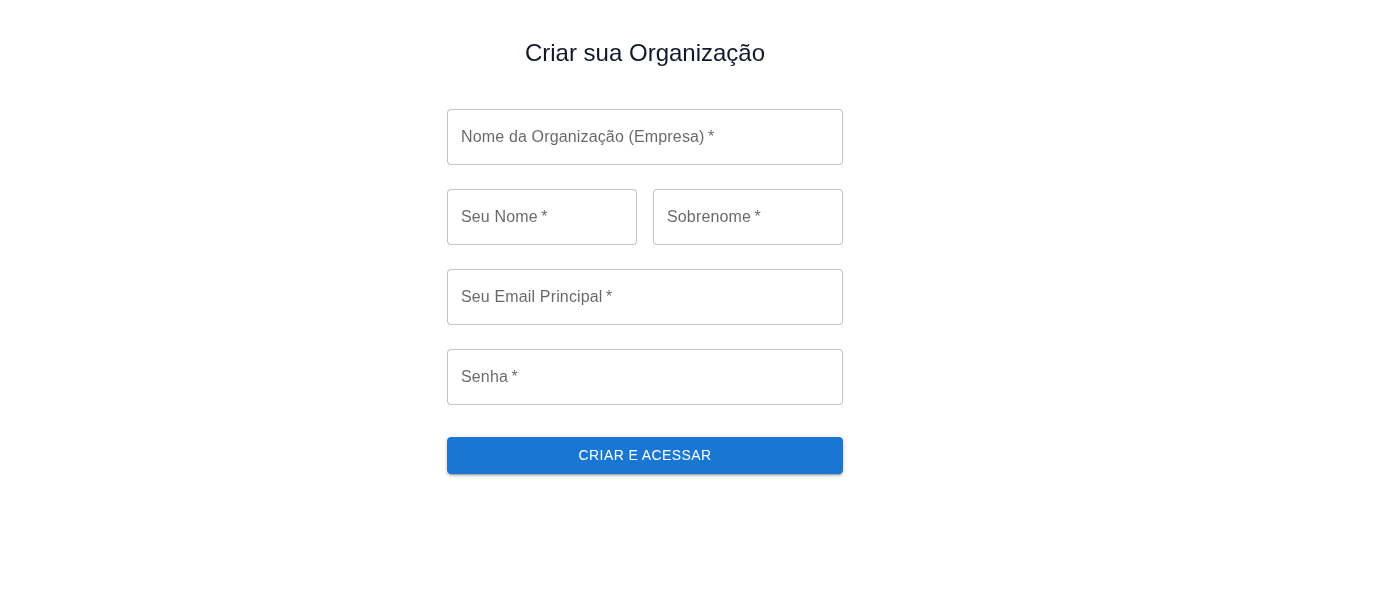
Fill in the registration form with your Name, corporate Email, organization name and set a secure password.
Configure your Tenant
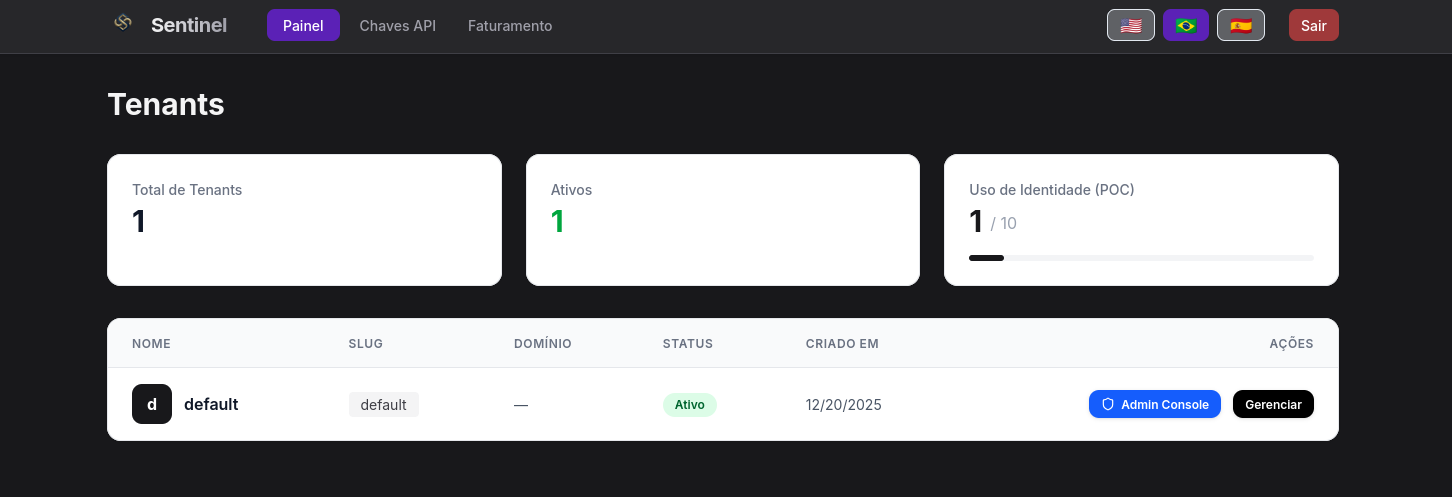
Step 2: In the Sentinel Portal, go to Settings and fill in your tenant details.
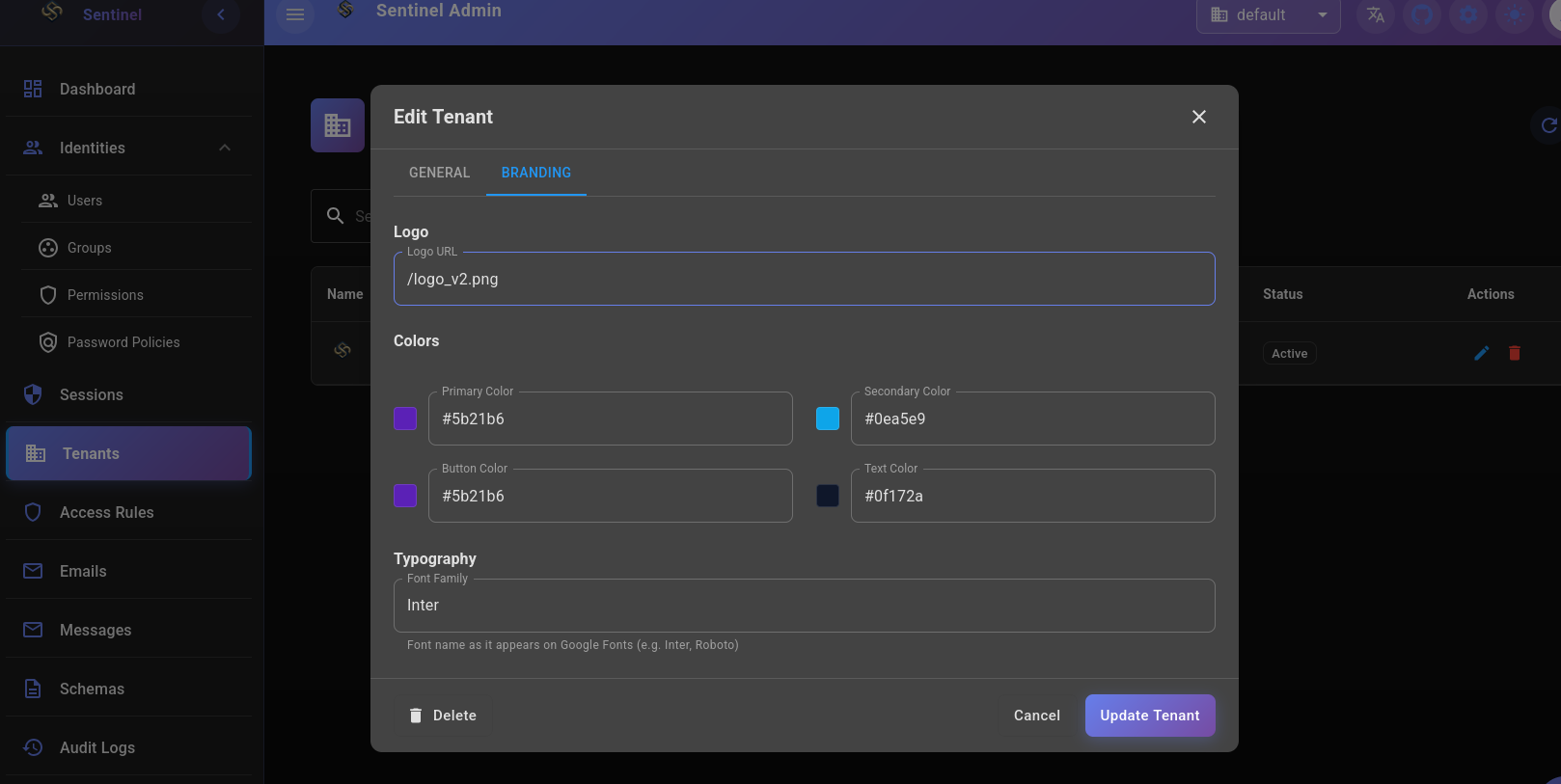
Set your organization name, upload your logo and configure the login screen colors. These settings are applied immediately to your environment.
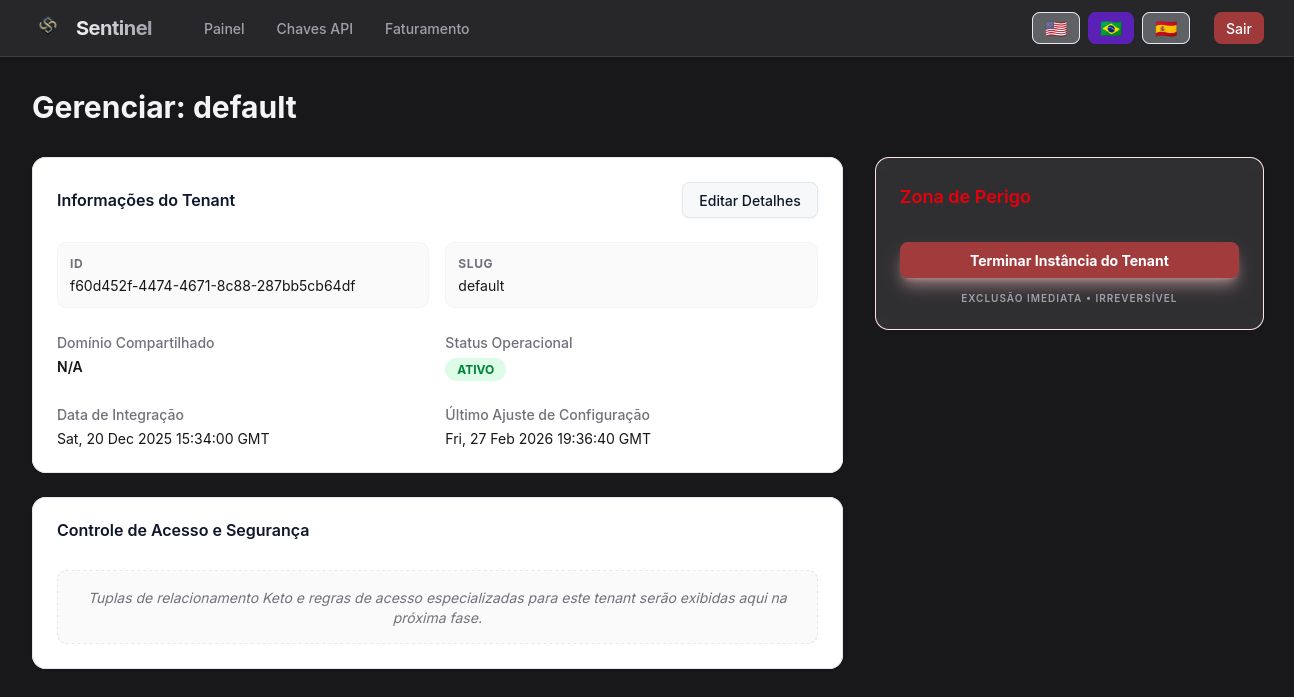
In Manage, it is possible to delete the tenant and all its associated data.
Access the Admin Console
Step 3: In the Sentinel Portal, click 'Admin Console'.
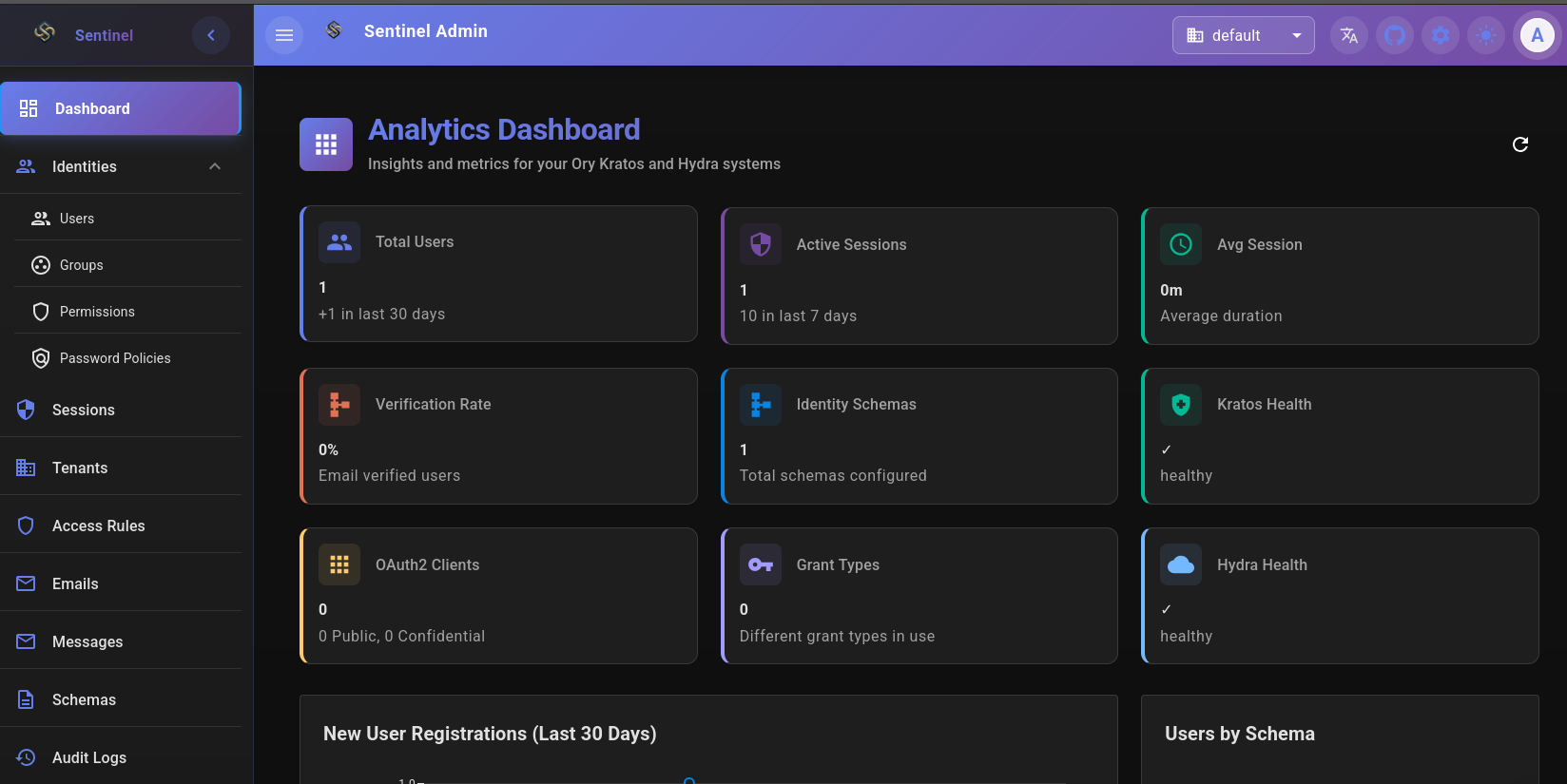
The Admin Console is the central control panel of the platform. From here you manage identities, sessions, permissions, branding and all technical configuration of your environment.
Manage your Tenant
Step 4: In the Admin Console, explore the side menu to manage your environment.
With your environment configured, you can create identities, apply branding, configure authentication flows and monitor active sessions in real time.